【背景】
之前写的,去下载:
中的图片,并且保存图片信息为csv文件。
【37959390_data_scraping_from_website代码分享】
1.截图:
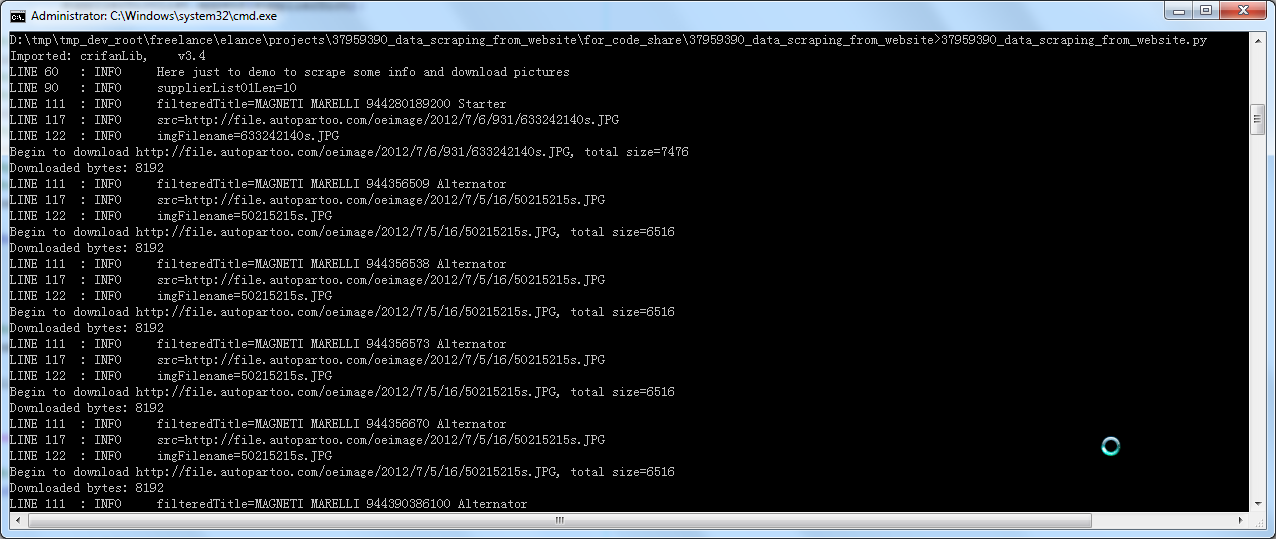
(1)运行效果:
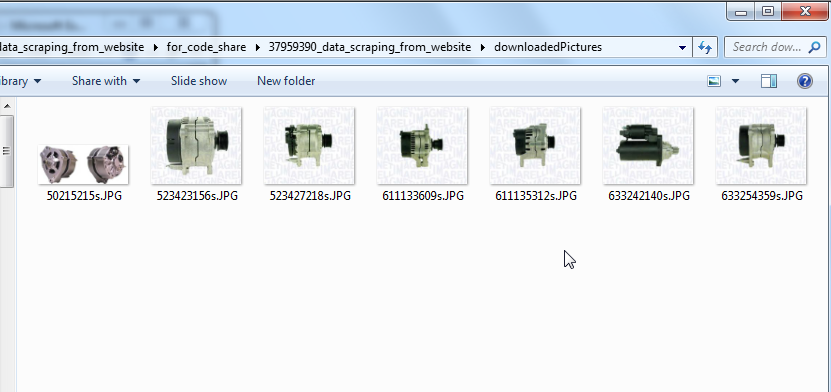
(2)下载的图片:
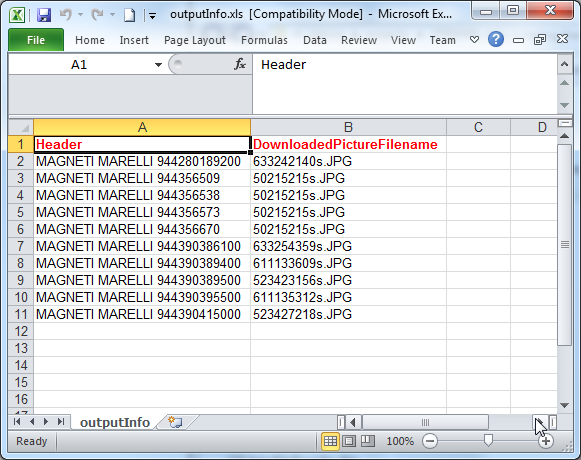
(3)记录图片信息保存为csv文件:
2.Python项目代码下载:
37959390_data_scraping_from_website_2013-02-17.7z
3.代码分享:
(1)37959390_data_scraping_from_website.py
#!/usr/bin/python
# -*- coding: utf-8 -*-
"""
-------------------------------------------------------------------------------
Function:
Data scraping from a website
https://www.elance.com/j/data-scraping-from-website/37959390/

Version:    2013-02-17
Author:     Crifan Li
Contact:    admin@crifan.org

-------------------------------------------------------------------------------
"""
#--------------------------------const values-----------------------------------
__VERSION__ = "v1.0";

gConst = {
    "csvFilename" : "outputInfo.csv",
    "xls"   : {
        'fileName'  : "outputInfo.xls",
        'sheetName' : "outputInfo",
    },
    'picStorePath'  : "downloadedPictures",
};

gCfg = {
};

gVal = {

};

#---------------------------------import---------------------------------------
import re;
import sys;
sys.path.append("libs");
from BeautifulSoup import BeautifulSoup,Tag,CData;
import crifanLib;
import logging;
import urllib;
import json;
import os;
#import argparse;
import codecs;

import csv;
import xlwt;
import xlrd;
#import xlutils;
from xlutils.copy import copy;

def scrapeVehicleInfos():
    """
        Scrape vehicles realted info:
            part No.
            download picture
            ...
    """
    logging.info("Here just to demo to scrape some info and download pictures");

    #1.open http://www.autopartoo.com/
    # entryUrl = "http://www.autopartoo.com/";
    # respHtml = crifanLib.getUrlRespHtml(entryUrl);
    # logging.debug("respHtml=%s", respHtml);
    # searchJsUrl = "http://www.autopartoo.com/js/search.js";
    # searchJsRespHtml = crifanLib.getUrlRespHtml(searchJsUrl);
    # respHtml = crifanLib.getUrlRespHtml(entryUrl);
    # logging.debug("respHtml=%s", respHtml);

    #2.select AUDI from 'select make' then click search
    #we can find out the AUDI corresponding ID is 504 from
    #"<option value='504'>AUDI</option>"
    #in http://www.autopartoo.com/js/search.js
    searchAudiUrl = "http://www.autopartoo.com/search/vehiclesearch.aspx?braid=504&date=0&modid=0&typid=0&class1=0&class2=0&class3=0";
    searchAudiRespHtml = crifanLib.getUrlRespHtml(searchAudiUrl);
    logging.debug("searchAudiRespHtml=%s", searchAudiRespHtml);

    # <li class="SupplierList01">
    # <h2><strong><a href="/oem/magneti-marelli/944280189200.html" target="_blank">
    # MAGNETI MARELLI 944280189200 </strong></a>
    # <span>(7 manufacturers found)</span></h2>
    soup = BeautifulSoup(searchAudiRespHtml);
    foundSupplierList01 = soup.findAll("li", {"class":"SupplierList01"});
    logging.debug("foundSupplierList01=%s", foundSupplierList01);
    if(foundSupplierList01):
        supplierDictList = [];

        supplierList01Len = len(foundSupplierList01);
        logging.info("supplierList01Len=%s", supplierList01Len);

        for eachSupplierList in foundSupplierList01:
            supplierDict = {
                'Header'    : "",
                'DownloadedPictureFilename' : "",
            }

            eachH2 = eachSupplierList.h2;
            logging.debug("eachH2=%s", eachH2);

            h2Contents = eachH2.contents;
            logging.debug("h2Contents=%s", h2Contents);

            h2Strong = eachH2.strong;
            logging.debug("h2Strong=%s", h2Strong);

            h2StrongAString = h2Strong.a.string;
            logging.debug("h2StrongAString=%s", h2StrongAString);

            filteredTitle = h2StrongAString.strip(); #MAGNETI MARELLI 944280189200
            logging.info("filteredTitle=%s", filteredTitle);
            supplierDict['Header'] = filteredTitle;

            foundImgSrc = eachSupplierList.find("img");
            logging.debug("foundImgSrc=%s", foundImgSrc);
            src = foundImgSrc['src']; #http://file.autopartoo.com/oeimage/2012/7/6/931/633242140s.JPG
            logging.info("src=%s", src);

            foundFilename = re.search("\w+\.\w{2,4}$", src);
            logging.debug("foundFilename=%s", foundFilename);
            imgFilename = foundFilename.group(0);
            logging.info("imgFilename=%s", imgFilename);
            supplierDict['DownloadedPictureFilename'] = imgFilename;

            crifanLib.downloadFile(src, os.path.join(gConst['picStorePath'], imgFilename), needReport=True);

            supplierDictList.append(supplierDict);

    #open existed xls file
    logging.info("Saving scraped info ...");
    #newWb = xlutils.copy(gConst['xls']['fileName']);
    #newWb = copy(gConst['xls']['fileName']);
    oldWb = xlrd.open_workbook(gConst['xls']['fileName'], formatting_info=True); #xlrd.book.Book
    #print oldWb; #<xlrd.book.Book object at 0x000000000315C940>
    newWb = copy(oldWb); #xlwt.Workbook.Workbook
    #print newWb; #<xlwt.Workbook.Workbook object at 0x000000000315F470>
    #write new values
    newWs = newWb.get_sheet(0);

    for index,supplierDict in enumerate(supplierDictList):
        rowIndex = index + 1;
        newWs.write(rowIndex, 0, supplierDict['Header']);
        newWs.write(rowIndex, 1, supplierDict['DownloadedPictureFilename']);

    #save
    newWb.save(gConst['xls']['fileName']);

    lllll


def main():

    #create outpu dir if necessary
    if(os.path.isdir(gConst['picStorePath']) == False) :
        os.makedirs(gConst['picStorePath']);# create dir recursively

    #init output file

    #init xls file
    #styleBlueBkg= xlwt.easyxf('pattern: pattern solid, fore_colour sky_blue;');
    #styleBold   = xlwt.easyxf('font: bold on');
    styleBoldRed   = xlwt.easyxf('font: color-index red, bold on');
    headerStyle = styleBoldRed;
    wb = xlwt.Workbook();
    ws = wb.add_sheet(gConst['xls']['sheetName']);
    ws.write(0, 0, "Header",   headerStyle);
    ws.write(0, 1, "DownloadedPictureFilename",   headerStyle);
    wb.save(gConst['xls']['fileName']);

    #init cookie
    crifanLib.initAutoHandleCookies();

    #do main job
    scrapeVehicleInfos();


###############################################################################
if __name__=="__main__":
    scriptSelfName = crifanLib.extractFilename(sys.argv[0]);

    logging.basicConfig(
                    level    = logging.DEBUG,
                    format   = 'LINE %(lineno)-4d  %(levelname)-8s %(message)s',
                    datefmt  = '%m-%d %H:%M',
                    filename = scriptSelfName + ".log",
                    filemode = 'w');
    # define a Handler which writes INFO messages or higher to the sys.stderr
    console = logging.StreamHandler();
    console.setLevel(logging.INFO);
    # set a format which is simpler for console use
    formatter = logging.Formatter('LINE %(lineno)-4d : %(levelname)-8s %(message)s');
    # tell the handler to use this format
    console.setFormatter(formatter);
    logging.getLogger('').addHandler(console);
    try:
        main();
    except:
        logging.exception("Unknown Error !");
        raise;
【总结】
转载请注明:在路上 » 【代码分享】Python代码:37959390_data_scraping_from_website – 下载www.autopartoo.com中图片并保存图片信息为csv