现有内容管理系统是:
点击提交或保存后,之前的按钮还能点击:
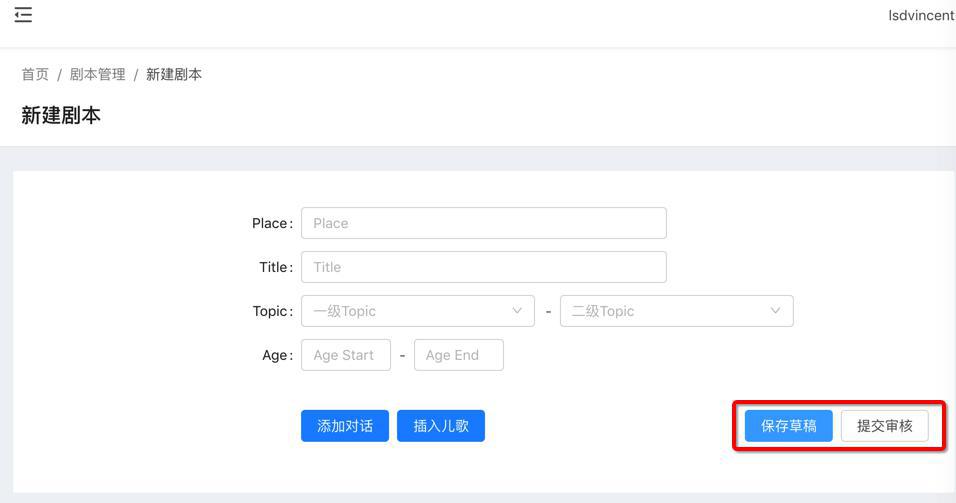
需要实现:
点击后,不能再被点击
除非提示错误,比如网络断开了,提交返回失败等等
然后才能继续点击
看了看代码:
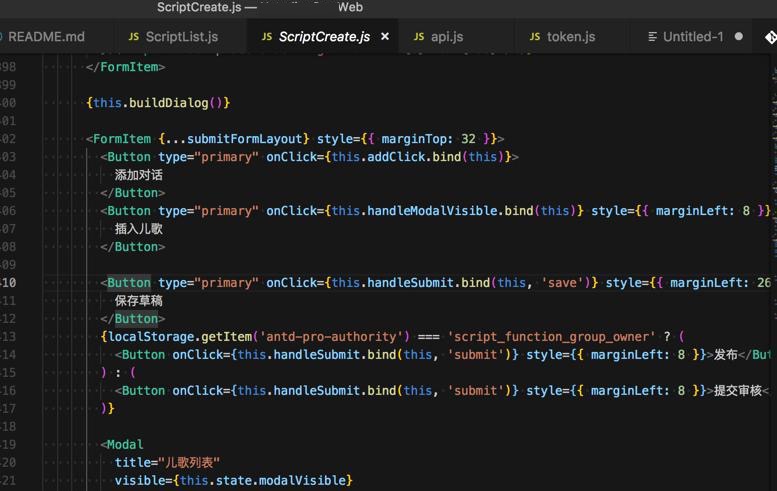
感觉是:
点击提交后,去把button的状态禁止掉,比如disabled之类的就好了
<Button type="primary" onClick={this.handleSubmit.bind(this, 'save')} style={{ marginLeft: 260 }}>
保存草稿
</Button>
不过看了看button的源码
export declare type ButtonProps = AnchorButtonProps | NativeButtonProps;
export default class Button extends
React.Component
<ButtonProps, any> {
    static Group: typeof Group;
    static __ANT_BUTTON: boolean;
    static defaultProps: {
        prefixCls: string;
        loading: boolean;
        ghost: boolean;
    };
    static propTypes: {
        type: any;
        shape: any;
        size: any;
        htmlType: any;
        onClick: any;
        loading: any;
        className: any;
        icon: any;
    };
    timeout: number;
    delayTimeout: number;
    constructor(props: ButtonProps);
    componentDidMount(): void;
    componentWillReceiveProps(nextProps: ButtonProps): void;
    componentDidUpdate(): void;
    componentWillUnmount(): void;
    fixTwoCNChar(): void;
    handleClick: React.MouseEventHandler<HTMLButtonElement | HTMLAnchorElement>;
    isNeedInserted(): boolean;
    render(): JSX.Element;
}
貌似没有disable属性?
去找找
antd pro中的button
antd pro Button
好像就是添加disabled即可
然后是可以加上:
@Form.create()
export default class ScriptCreate extends PureComponent {
  constructor(props) {
    super(props);
    this.state = {
。。。
      isSubmitting: false,
      isDisableSubmit: false,
    };
  }

  handleSubmit(operateMark) {
    const { speakers, contents, audioIDs } = this.state

    this.setState({
      isSubmitting: true,
      isDisableSubmit: true,
    })

  render() {
              <Button
                type="primary"
                loading={this.state.isSubmitting}
                disabled={this.state.isDisableSubmit}
                onClick={this.handleSubmit.bind(this, 'save')}
                style={{ marginLeft: 260 }}>
                保存草稿
              </Button>
  }
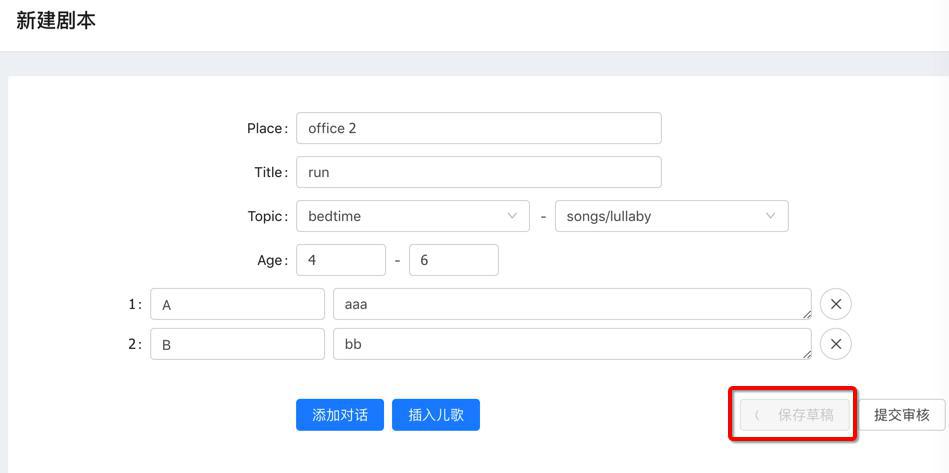
实现,点击后:
处于正在加载,且不能再点击:
但是有个问题:
正常的情况,倒是可以在http的request的fetch返回后,可以取消这2个变量,让按钮再次可以点击。
但是如果是出现异常,比如网络断开等,则此处的:
          this.props.dispatch({
            type: 'script/submitScript',
            payload: params,
          }).then(() => {
            this.props.dispatch(routerRedux.push('/script/script-list'));
          });
是没法返回exception的,没法告知此处的。
所以需要去解决:
【已解决】reactjs的Antd Pro中如何让网络异常出错时也有callback返回可以自己控制异常
转载请注明:在路上 » 【已解决】Antd Pro中点击提交后禁止再点击按钮