折腾:
【未解决】AntD Pro中支持剧本剧本编写时拖动排序单个对话
期间,需要去解决
如何获取内部的元素 可拖动排序的列表的当前的state呢
现在相关代码是:
@DragDropContext(HTML5Backend)
class DragSortingTable extends
React.Component
 {
  state = {
    itemList: [],
  }
...
}

@connect(({ loading, script, topic }) => ({
  submitting: loading.effects['script/submitRegularForm'],
  script,
  topic,
}))
@Form.create()
export default class ScriptCreate extends PureComponent {
...

    render() {
        return (
              <DragSortingTable
                itemList={this.state.dialogList}
              />
如何在ScriptCreate中,获取到字元素DragSortingTable中当前的列表的值
react get child state value
说是传入callback函数,内部state变化时,调用callback实现通知外部数据更新,即可。
【总结】
最后就是通过传入callback函数,当字元素内部数据发生变化(比如拖动导致列表顺序变化),就调用callback去通知父元素,即可:
代码:
@DragDropContext(HTML5Backend)
class DragSortingTable extends
React.Component
 {
  state = {
    itemList: [],
  }


  moveRow = (dragIndex, hoverIndex) => {
    const { itemList } = this.state;
    const dragRow = itemList[dragIndex];

    this.setState(
      update(this.state, {
        itemList: {
          $splice: [[dragIndex, 1], [hoverIndex, 0, dragRow]],
        },
      }),
    )

    console.log("moveRow: this.state.itemList=", this.state.itemList)
    this.props.onListChange(this.state.itemList)
  }

}

DragSortingTable.defaultProps = {
  itemList: [],
  onListChange: (newDialogList) => {},
};


@connect(({ loading, script, topic }) => ({
  submitting: loading.effects['script/submitRegularForm'],
  script,
  topic,
}))
@Form.create()
export default class ScriptCreate extends PureComponent {
  constructor(props) {
    super(props)

    this.onDialogListChange = this.onDialogListChange.bind(this)
...
  }

  onDialogListChange(newDialogList){
    console.log("onDialogListChange: newDialogList=", newDialogList)

    console.log("before change: this.state.dialogList=", this.state.dialogList)
    this.setState({dialogList: newDialogList})
    console.log("after  change: this.state.dialogList=", this.state.dialogList)
  }

    render() {
        return (
              <DragSortingTable
                itemList={this.state.dialogList}
                onListChange={this.onDialogListChange}
              />
注意其中加了defaultProps,设置(如果外部没有传入,则)默认的onListChange是个空函数:
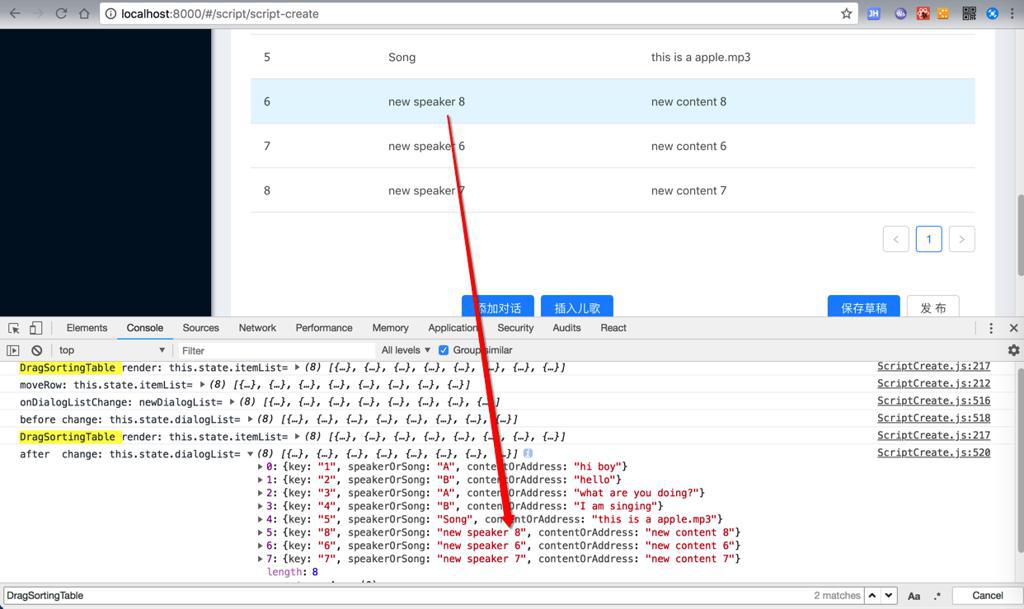
(newDialogList) => {}效果:
转载请注明:在路上 » 【已解决】reactjs中如何获取子元素中当前的状态值