【背景】
折腾:
【规避解决】kindeditor第二次加载时无法加载已有html内容
期间,需要去把原先的jsp文件中的:
{
     id:'editGoods',
     text:'编辑团购',
     disabled:true,
     iconCls: 'icon-edit',
     handler: function(){
      var row = $(contextId).datagrid('getSelected');
      cur_goodsId = row.id;
      if(storeFlag == "xiaoyuanchaoshi"){
       createWindow(contextId, '编辑商品信息',  800, 600, 'view/store/form/chaoshigoodseditform.html');
      }else{
       createWindow(contextId, '编辑商品信息',  800, 600, 'view/store/form/goodseditform.html');
      }

     }
    },
以createWindow方式创建窗口,用于编辑商品信息,其中加载KindEditor。
变成:
新打开一个html页面的方式,加载kindeditor去编辑商品信息,
希望以此方式,可以规避掉:
【规避解决】kindeditor第二次加载时无法加载已有html内容
中所发现的,第二次加载,就不显示html内容了,的bug。
【折腾过程】
1.听说是window用open,然后加上location的href的url就可以了。
搜:
jquery 新打开html页面
参考:
jquery 打开页面window.location和window.open的区别_Suger_Code_新浪博客
JS页面跳转和打开新窗口的方法 – 耿鹏丽的博客 | 专注于WEB开发技术和用户体验的博客,致力于JQuery、JQueryMobile、ExtJS、HTML5、CSS3前端技术的分享与交流。
Javascript跳转页面和打开新窗口等方法 – 雨晨 – 博客园
试试:
$(cur_open_windowId).window.open(url);
结果新打开窗口直接就无法显示任何内容了:
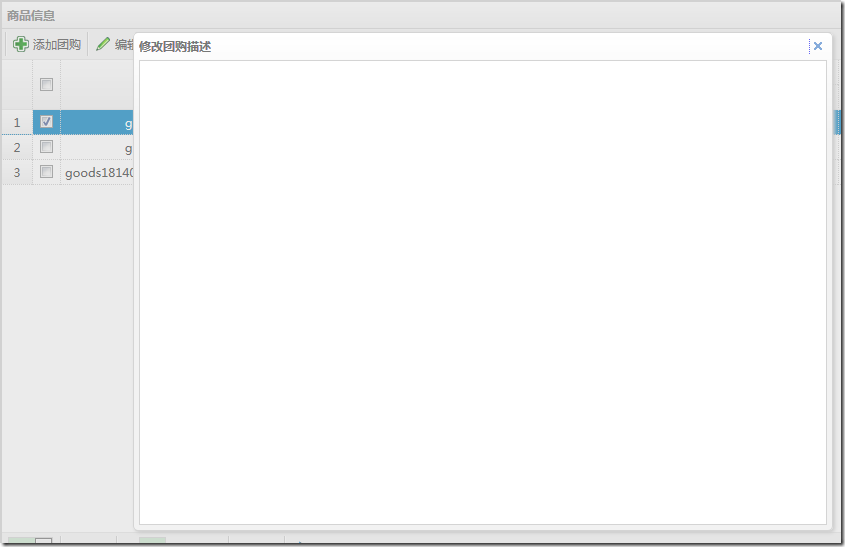
2.再去试试:
$(cur_open_windowId).window.location.href = url;
结果:
效果同上。
3.经历过:
最后用如下代码:
// //$(cur_open_windowId).window('refresh', url);
//$(cur_open_windowId).window.open(url);
url = "lib/kindeditor/jsp/demo.jsp";
var w = 800;
var h = 480;
var left = (screen.width/2)-(w/2);
var top = (screen.height/2)-(h/2);
window.open(url, "商品编辑页面", 'toolbar=no, location=no, directories=no, status=no, menubar=no, scrollbars=no, resizable=no, copyhistory=no, width='+w+', height='+h+', top='+top+', left='+left);
// window.location.href = url;
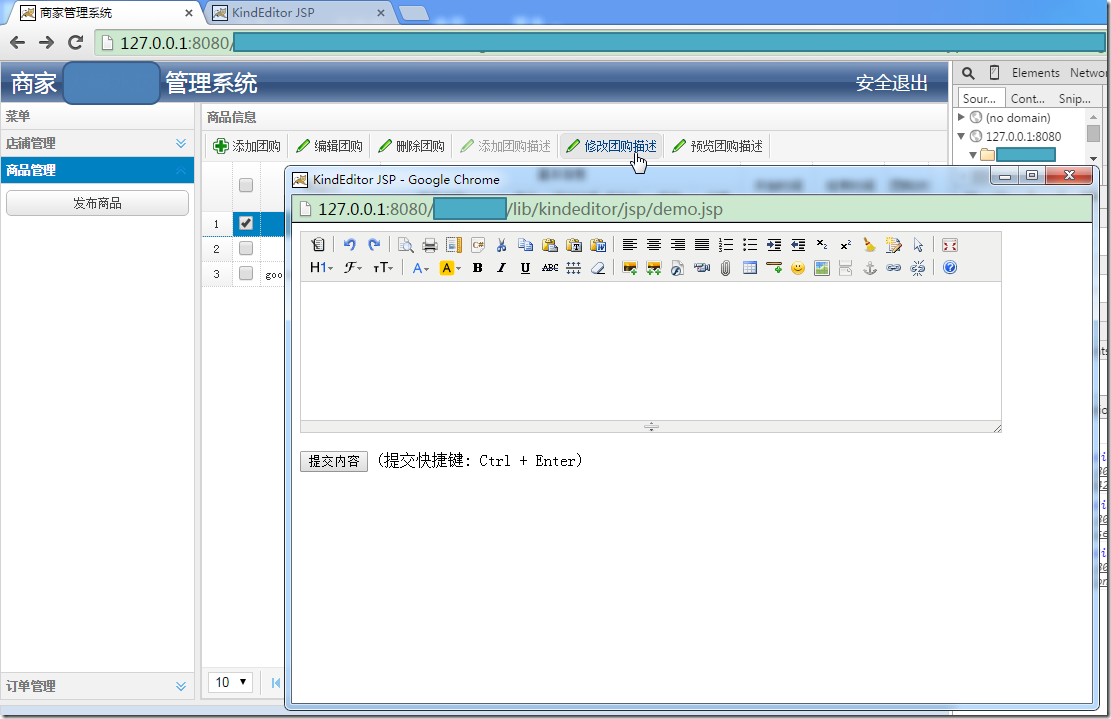
实现了打开新页面的效果:
【总结】
此处,新打开html页面,主要是用如下代码:
// //$(cur_open_windowId).window('refresh', url);
//$(cur_open_windowId).window.open(url);
url = "lib/kindeditor/jsp/demo.jsp";
var w = 800;
var h = 480;
var left = (screen.width/2)-(w/2);
var top = (screen.height/2)-(h/2);
window.open(url, "商品编辑页面", 'toolbar=no, location=no, directories=no, status=no, menubar=no, scrollbars=no, resizable=no, copyhistory=no, width='+w+', height='+h+', top='+top+', left='+left);
// window.location.href = url;
即可。
然后,这样每次点击对应的按钮,调用打开新页面,加载了KindEditor后,内容就可以自动加载进来了。就不会出现之前的bug:第二次加载KindEditor后,内容始终不显示。
了。