折腾:
【已解决】Mac中开发小程序的基本页面和搞懂基本开发部署预览等逻辑
期间,大概看了逻辑和编译预览。
剩下的就是:
直接开始去画页面,布局,样式,效果了。
想要实现:
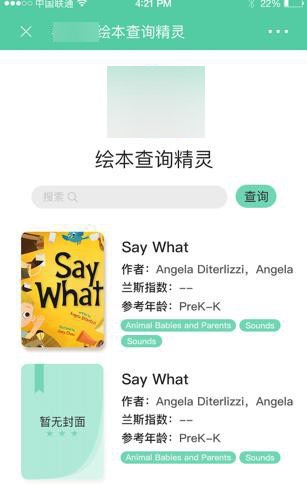
然后需要去:
- 导入logo图片
- 以及再去添加布局:
- 顶部是logo图片
- 中间是搜索框,带x清除,和查询按钮
- 下面是搜索结果的列表
先去搞清楚小程序如何导入图片
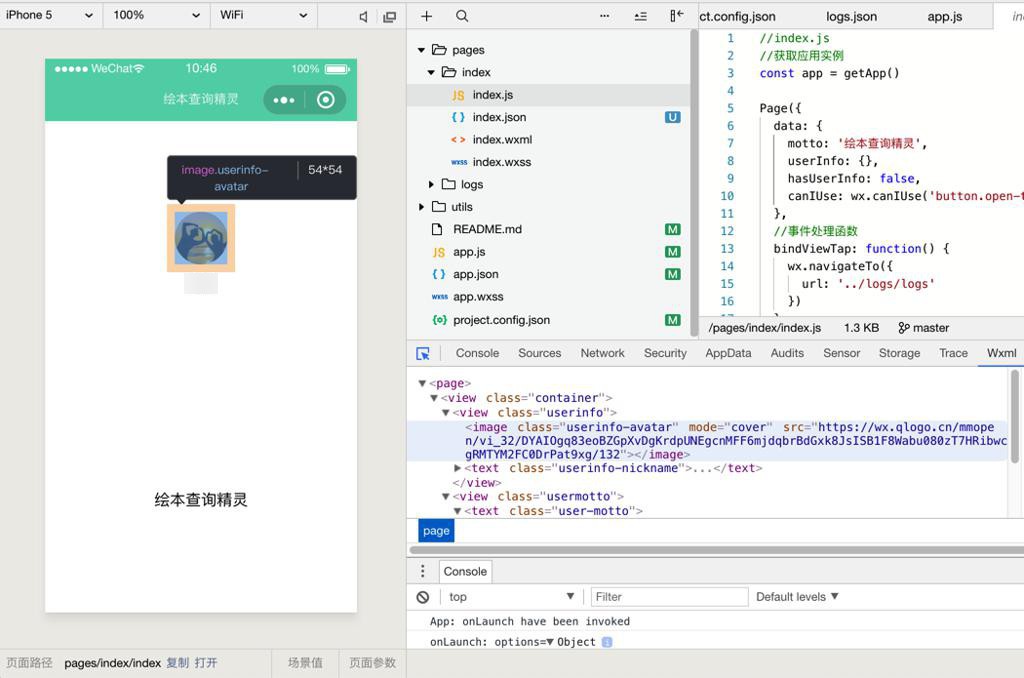
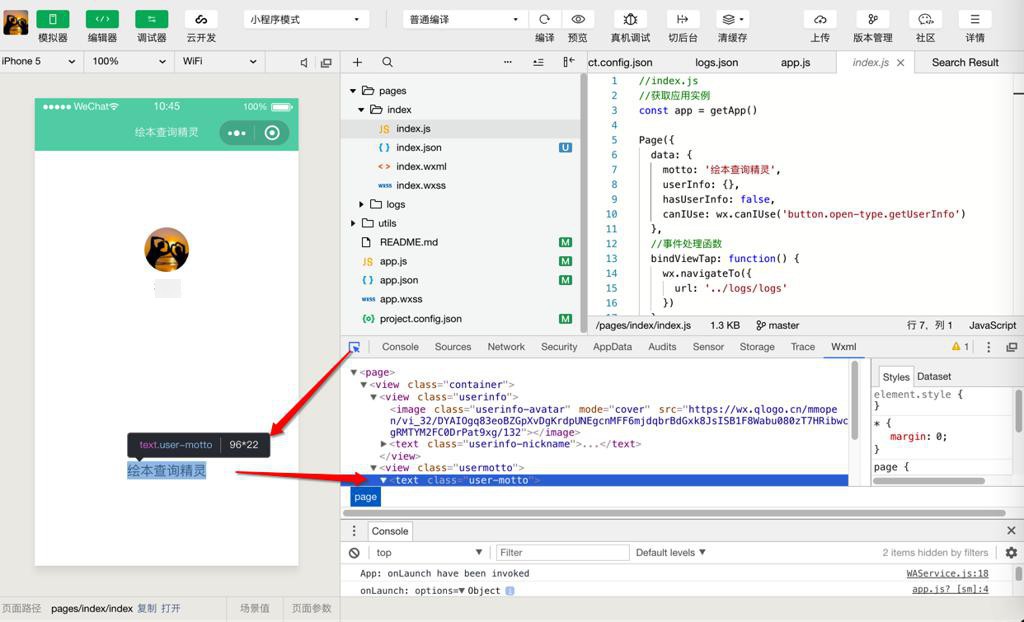
不过先去看看当前页面的布局:
点击鼠标后 移动到页面对应位置后点击 即可在html中打开对应页面源码:
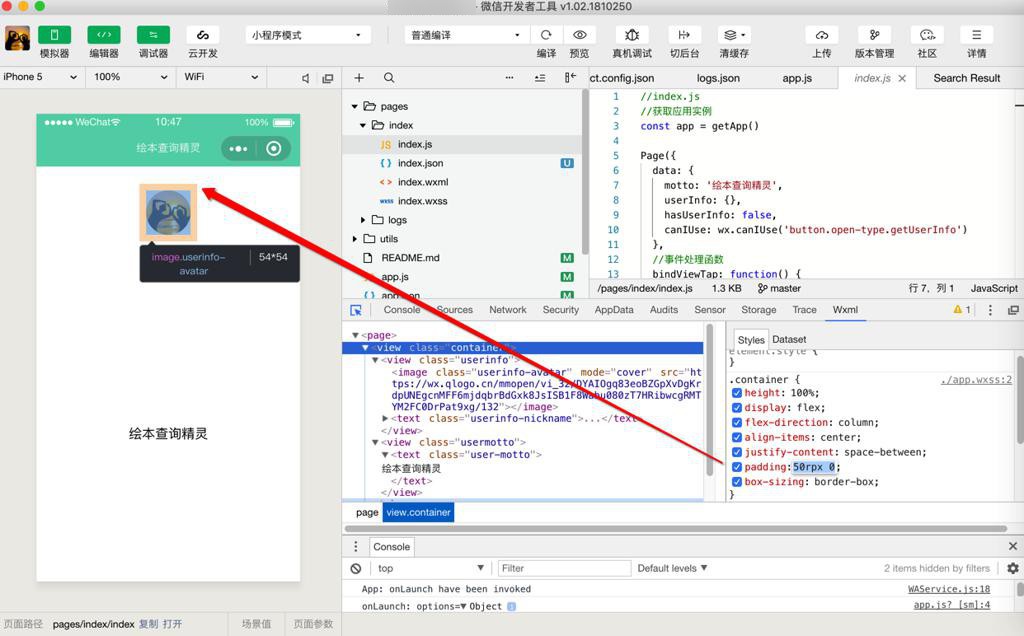
然后可以实时修改style的css,看看效果:
然后再去:
【已解决】小程序中如何导入Logo图片和显示并设置图片大小宽高尺寸
然后再去设置需要的布局
期间出现:
【暂不解决】小程序中设置文字的字体font-family不起效果
然后接着去添加输入框和按钮:
【已解决】小程序中画同一行内的输入框和按钮
然后接着再去实现点击按钮返回数据的事情
【已解决】小程序中点击按钮调用服务器接口返回数据
现在已经获得数据了,接着就是去考虑如何显示到页面上的列表布局
对于获取数据显示和如何画布局,都一起解决了:
【已解决】小程序中把返回数据显示到列表中
【已解决】小程序中列表中实现每行左边图片右边多行键值对的文字效果
目前用代码:
index.wxml
<!--index.wxml-->
<view class="container">
  <view class="logo">
    <image class="img_logo" src="../../images/logo_144x144.png" alt="xxx Logo"></image>
  </view>

  <text class='app_title'>绘本查询精灵</text>

  <view class="section input_and_query">
    <input
      id="queryInput"
      bindinput='inputCallback'
      bindconfirm="inputConfirmCallback"
      type="text"
      placeholder="请输入要查询的英文绘本名称"
      value="">
    </input>
    <button id="queryButton" bindtap="submitQuery">查询</button>
  </view>

  <view class='search_result_books'>
    <view
      wx:for="{{searchBookList}}"
      wx:for-index="bookIdx"
      wx:for-item="curBookItem"
      wx:key="id"

      class='book_list_item'
    >
      <view class='book_item_logo'>
        <image
          class='book_item_logo_img'
          src="{{curBookItem.coverImgUrl}}"
        />
      </view>

      <view class='book_list_item_attributes'>
        <view class='book_list_item_title'>{{curBookItem.title}}</view>
        <view class='book_list_attribute_row'>
          <text class='book_list_attribute_key'>作者:</text>
          <text class='book_list_attribute_value'>{{curBookItem.author.bookAuthors}}</text>
        </view>
        <view class='book_list_attribute_row'>
          <text class='book_list_attribute_key'>兰斯指数:</text>
          <text class='book_list_attribute_value'>{{curBookItem.grading.lexile}}</text>
        </view>
        <view class='book_list_attribute_row'>
          <text class='book_list_attribute_key'>参考年龄:</text>
          <text class='book_list_attribute_value'>{{curBookItem.grading.age}}</text>
        </view>
        <view class='book_list_attribute_tags'>
          <view
            wx:for="{{curBookItem.tags}}"
            wx:for-index="tagIdx"
            wx:for-item="eachTag"
            wx:key="*this"

            class='book_single_tag'
          >
            <text class='book_single_tag_value'>{{eachTag}}</text>
          </view>
        </view>
      </view>

    </view>
  </view>


</view>
index.wxss
/**index.wxss**/

.img_logo{
  width: 120px;
  height: 120px;

  padding-top: 48px;
  padding-bottom: 25px;
}

.app_title{
  font-size: 24px;
  margin-bottom: 20px;
  font-family: "PingFangSC-Regular", "苹方", "Microsoft Yahei", "微软雅黑", "Heiti SC";
}

.input_and_query{
  height: 28px;

  width: 80%;

  /* width: 100%; */
  /* margin-left: 39px;
  margin-right: 39px; */
  /* padding-left: 39px;
  padding-right: 39px; */

  vertical-align: center;

  margin-bottom: 16px;
}

#queryInput{
  font-size: 13px;
  border-radius: 16px;
  /* height: 28px; */

  border: 1px solid #ced4da;

  float:left;
  width:75%;

  display: flex;
  align-items: center;
  justify-content: center;
}

#queryButton{
  margin-left: 5px;

  background-color: #61D2B3;

  font-size: 15px;
  border-radius: 16px;
  height: 28px;

  float:left;
  width:20%;

  display: flex;
  align-items: center;
  justify-content: center;
}


.search_result_books{
  padding-top: 28px;
  padding-bottom: 28px;
  margin-left: 15px;
  margin-right: 15px;
}

.book_list_item{
  display: flex;
  flex-direction:row;

  padding-bottom: 15px;

  font-size: 14px;
  color: #666666;
}

.book_item_logo_img{
  width: 100px;
  height: 140px;

  border-radius: 8px;
  margin-right: 22px;
}

.book_list_item_attributes{
  display: flex;
  flex-direction: column;

  /* font-family: PingFangSC-Light; */
  font-family: "PingFangSC-Medium", "Microsoft Yahei", "微软雅黑", "Heiti SC";
}

.book_list_item_title{
  margin-top: 6px;
  margin-bottom: 10px;
  font-size: 18px;
  font-weight: 500;
  color: #333333;

  line-height: 1.2;
}

.book_list_attribute_row{
  margin-bottom: 9px;

  line-height: 14px;
}

.book_list_attribute_key{
  color: #333333;
}

.book_list_attribute_value{

}

.book_single_tag{
  font-size: 12px;
  font-weight: 400;
  margin-right: 4px;
  padding-top: 1px;
  padding-bottom: 0;

  background-color: rgba(97, 210, 179, 0.8);
  color: rgba(255, 255, 255, 0.9);
  height: 15px;
  line-height: 14px;

  display: inline-block;
  text-align: center;
  white-space: nowrap;
  vertical-align: baseline;

  padding-right: 0.6em;
  padding-left: 0.6em;
  border-radius: 10rem;
}

.book_single_tag_value{

}
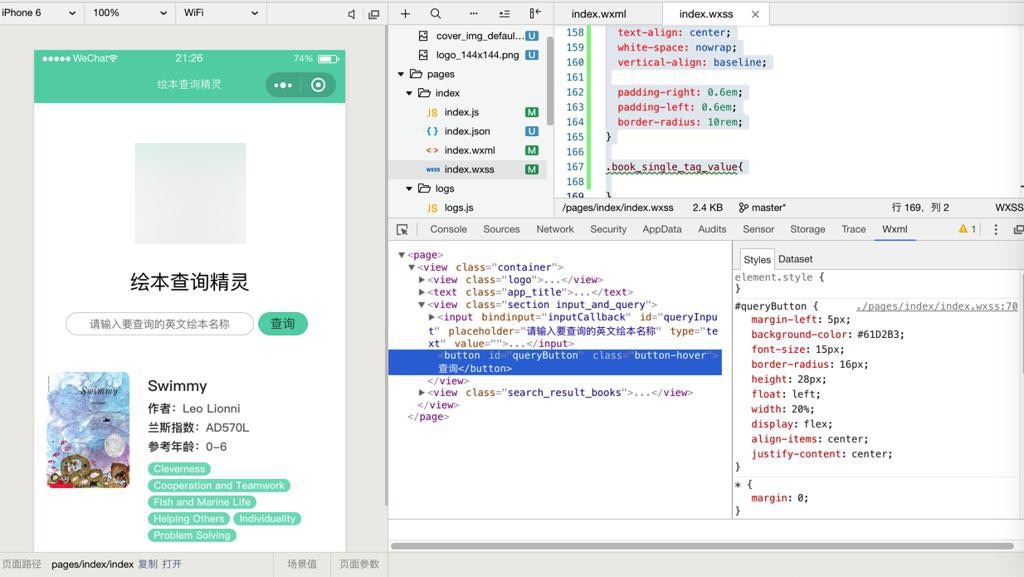
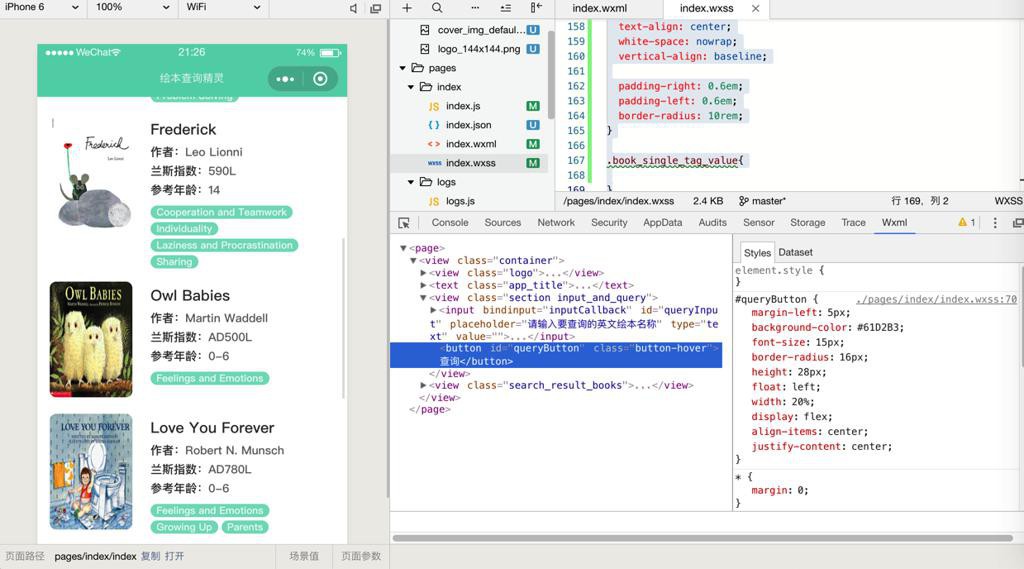
就基本上实现了首页的布局了:
转载请注明:在路上 » 【已解决】微信小程序开发工具中去画界面实现首页布局